
Timekeeping for lawyers
Your timesheet, already written.
tally notices what you work on and drafts your time entries, each one on its matter. You read them over and approve. Nothing is billed until you do.
Version 0.7.1 for Windows 10 and 11. You need your firm code to connect. All downloads
How a day goes
You do the work. tally keeps the record.
-
01
You work
tally sits by the clock and notes which document, email or site is in front of you, and when you step away. There is nothing to start or stop.
-
02
It drafts
That record becomes time entries with descriptions, each placed on a matter. Anything it is unsure of is set apart, with the reason, instead of guessed.
-
03
You approve
Read the day over, fix what needs fixing, approve. Export the week for your billing system. Nothing reaches a bill without your approval.
What it records
Enough to write your time. Nothing more.
It notes
- The app and the name of the document or email in front
- The address of the web page you are on
- When you were at the keyboard, and when you were away
- A line you choose to write about time away from your desk
It never takes
- Screenshots or recordings of your screen
- What you type
- The contents of your files or your email
- Anything from an app or site you have hidden
Pause it whenever you like. Hide any app or site with one click. See exactly what is sent, line by line, before you trust it. What tally records, in full
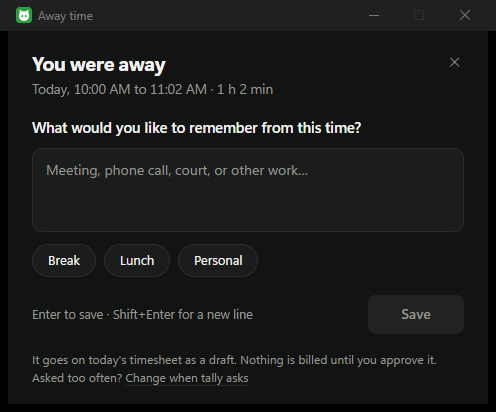
Away from your desk
Court, calls and meetings count too.
The hours that leave no trace on a computer are often the most billable. When you come back, tally asks what the time was for. One line, and it is on the day's timesheet as a draft.
Lunch is one click, and adds nothing.
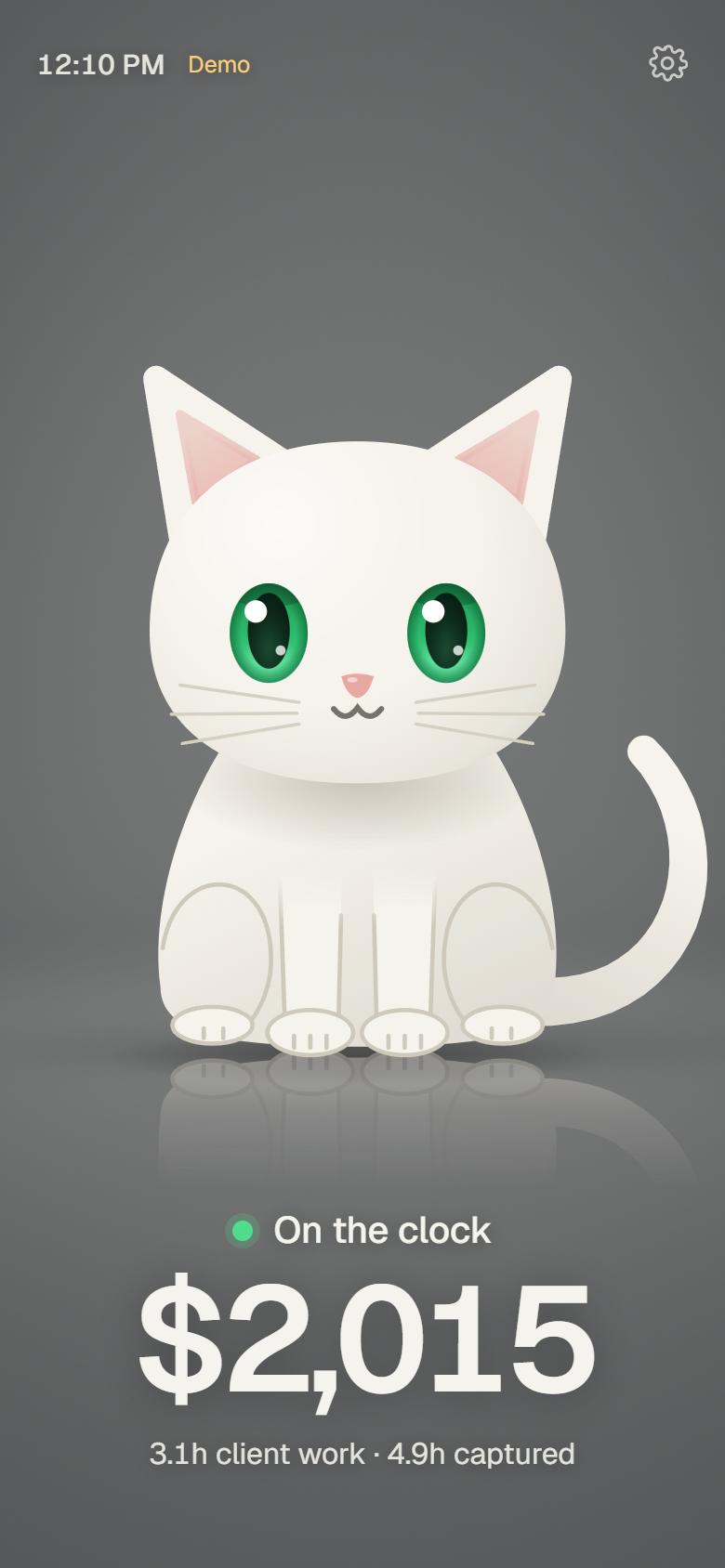
On your phone
A cat that knows what today is worth.
Stand your phone beside your screen. The cat sleeps when you step away, wakes when you are back, and shows the day's figure. It holds still while you work.
Put tally on your computer.
It installs in a minute, for you only, with no administrator rights. Then it keeps itself up to date.